
Unlocking the Door from Outside:
PIN Code - 100
Touch keypad to wake → enter enrolled PIN → [#].
Palm ID - 50
Once a user approaches the door, the built-in radar detects the user and activates the Palm ID reader.
When the "0" key starts blinking, a user may place a registered palm ID in front of the palm ID reader

Keep your palm parallel to the lock, maintaining a distance of 2-6 inches (50-150mm)
Mechanical Key

Philips Home Access app (Inside and Outside unlocking)
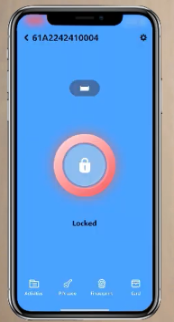
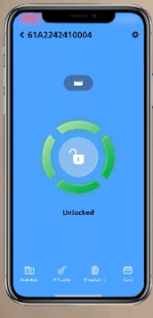
Open the Home Access app and choose the lock to be unlocked
Press and hold the red lock icon until it turns green and displays “UNLOCKED.
Unlocking the Door from Inside:
Thumbturn - Rotate the Thumb Turn to the unlocked position

Grab and Go - The deadbolt will automatically unlock as you approach and grab the doorknob or lever indoors. This feature is disabled by default. Enable it by setting it on the Philips Home Access app