Open the Home Access App and tap the “+” icon in the upper-right corner, or select Add Device.

Choose Wi-Fi Lock.

Follow the instructions on the app - Tap the door lock screen to wake it, then press [#], enter the Master PIN and press [#] to confirm
Press [5], then press [1]

Once done, tap on Next on the app
Wait for the voice prompt: “Connecting, please wait a moment.”
If the default Master PIN has not been changed, the app will prompt you to update it.
Enter the lock's master PIN on the app and tap on Next

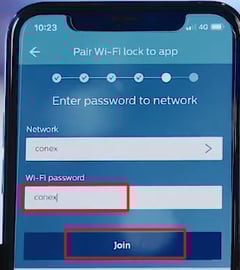
Select your dedicated 2.4 GHz Wi-Fi network, enter the password, then tap Join.
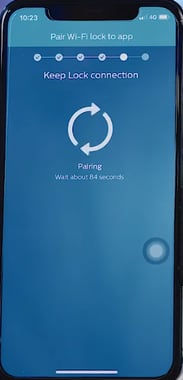
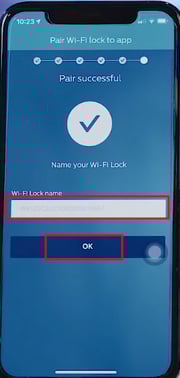
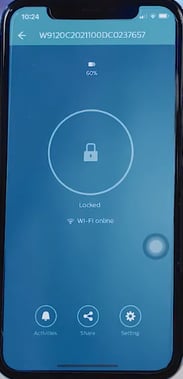
When pairing is complete, you will hear the voice prompt: “Setup succeeded.”
Name your door lock, then tap OK to finish.